Overview

This guide walks you through adding voice and video calling capabilities to your Android application using the CometChat UI Kit.
Make sure you’ve completed the Getting Started guide before proceeding.

Add the Calls SDK

Add the CometChat Calls SDK dependency to your build.gradle file:
dependencies {
  implementation 'com.cometchat:calls-sdk-android:4.+.+'
}
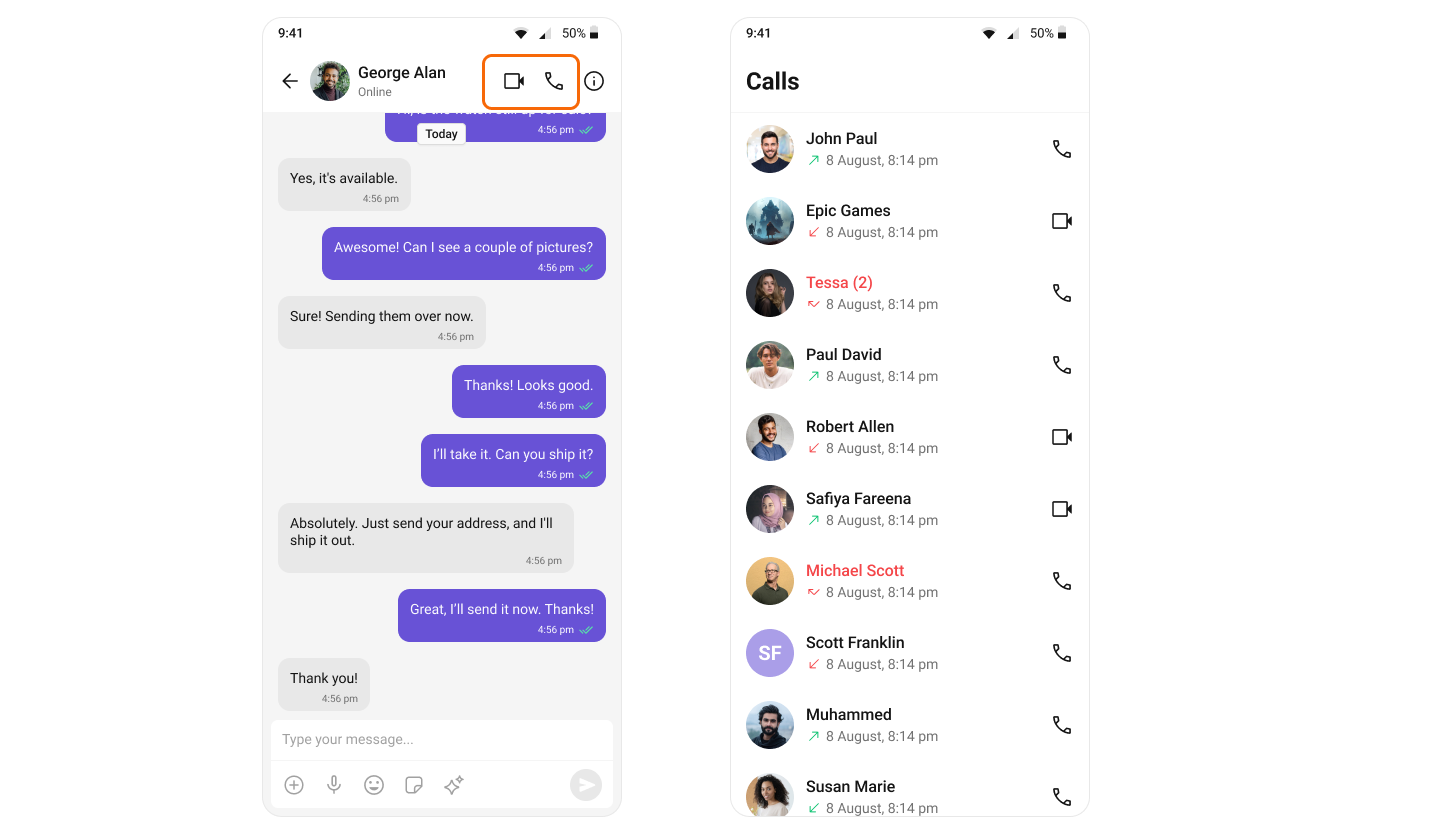
After adding this dependency, the Android UI Kit will automatically detect it and activate the calling features. You will see CallButtons component rendered in the MessageHeader component.

Set Up Call Listener

To receive incoming calls globally in your app, add a CallListener before initializing the CometChat UI Kit. We recommend creating a custom Application class:
class BaseApplication : Application() {
    companion object {
        private val LISTENER_ID = "${BaseApplication::class.java.simpleName}${System.currentTimeMillis()}"
    }

    override fun onCreate() {
        super.onCreate()
        CometChat.addCallListener(LISTENER_ID, object : CometChat.CallListener {
            override fun onIncomingCallReceived(call: Call) {
                CometChatCallActivity.launchIncomingCallScreen(this@BaseApplication, call, null)
                // Pass null or IncomingCallConfiguration if need to configure CometChatIncomingCall component
            }

            override fun onOutgoingCallAccepted(call: Call) {
                // Handle accepted outgoing call
            }

            override fun onOutgoingCallRejected(call: Call) {
                // Handle rejected outgoing call
            }

            override fun onIncomingCallCancelled(call: Call) {
                // Handle cancelled incoming call
            }
        })
    }
}